The Ultimate Guide to Human Chatbot Design: UX Strategies That Build Trust
Practical UX and language principles for designing natural, engaging, on-brand chatbots.
Oct 3, 2025
5 mins

Learn how to design a chatbot that speaks like a real person, not a robot. Discover proven UX strategies and tone-of-voice techniques that make AI-powered chatbots more relatable and effective in driving customer satisfaction.
How to Design a Chatbot That Feels Human: UX and Language Tips That Actually Work
Chatbots have come a long way from their early days of awkward, scripted answers. Modern AI systems are now capable of understanding intent, recognizing tone, and adapting responses in real time.
But while artificial intelligence has made major technical leaps, one challenge remains: making the chatbot experience feel genuinely human.
A well-designed chatbot does not just respond to messages; it engages people in meaningful, brand-aligned conversations. It knows when to ask questions, when to stay concise, and how to sound empathetic.
This article breaks down how to design a chatbot that feels authentic, covering the most effective UX and language strategies that brands are using today, along with examples of how ELX Chatbot makes these principles easy to apply.
Find out more about ELX Chatbot Features or Book a Demo
1. Why Human-Like Chatbots Matter
The way your chatbot communicates directly impacts how customers perceive your brand. A natural, friendly conversation creates trust and keeps users engaged, while robotic or repetitive responses can lead to frustration and dropped interactions.
According to research from Rev.com, 43% of chatbot users believe that bots need better understanding of user intent. This statistic highlights a simple truth: users want chatbots that listen, understand, and reply like a person would.
When your chatbot mirrors human communication patterns through tone, phrasing, and context, it becomes an extension of your customer service team rather than just another automated tool.
2. Focus on Clarity and Simplicity First
The foundation of a great chatbot experience is clarity. People do not want to read lengthy paragraphs or overly formal language when chatting online.
Good chatbot UX design begins with short, clear sentences and direct answers. Each message should have one purpose: to guide the customer to the next step.
For example:
- Instead of “We would like to inform you that your order has been successfully processed and will be dispatched shortly,” say “Your order is on its way.”
- Instead of “Please select from the following available options,” say “Which one would you like to explore next?”
Simple language increases comprehension and makes conversations feel natural, especially on mobile devices where space and attention are limited.
ELX Chatbot follows this best practice automatically, structuring replies for clarity while allowing brands to customize tone and phrasing to match their unique style.
3. Match the Chatbot’s Tone with Your Brand Voice
Every brand has a distinct personality, and your chatbot should reflect it consistently.
If your brand voice is playful and casual, your chatbot should use friendly greetings and conversational language. If your business is luxury or minimalist, the tone should be refined and composed.
Consistency in tone builds trust because customers feel they are interacting with the same brand across every touchpoint.
For instance: -A beauty brand might use messages like “You’re glowing! Want to explore our new skincare line?” -A premium watch brand could say “Welcome back. Would you like to view our latest collection?”
With ELX Chatbot, you can define your preferred tone of voice, whether professional, warm, or energetic so every automated interaction feels aligned with your brand’s personality.
4. Design Conversational Flows, Not Scripts
Traditional chatbots relied on rigid scripts that led users down predefined paths. Today’s AI-powered chatbots work better when designed around intent-based conversation flows instead.
This approach allows users to express their needs naturally, while the chatbot intelligently guides the conversation toward relevant answers.
For example, when a customer types: “I need help returning my order,” the chatbot should recognize “return” as the intent and respond with the correct policy or action without forcing the user through multiple menu selections.
Good UX design also includes fallback responses. If the chatbot does not understand the question, it should respond gracefully, such as: “I’m not sure I understood that. Could you tell me a bit more so I can help?”
ELX Chatbot applies this principle through adaptive learning. It identifies intent, tracks context, and evolves as more customer interactions take place.
5. Use Micro-Interactions to Make the Experience Feel Alive
One of the most effective ways to make chatbots feel human is through micro-interactions small touches that create rhythm and personality.
Typing indicators, brief pauses before replies, and visual elements such as product images or quick reply buttons all help simulate a real conversation.
These moments make users feel like they are talking to a responsive assistant rather than a static interface. Even subtle details like greeting returning customers by name or referencing earlier messages can significantly increase engagement.
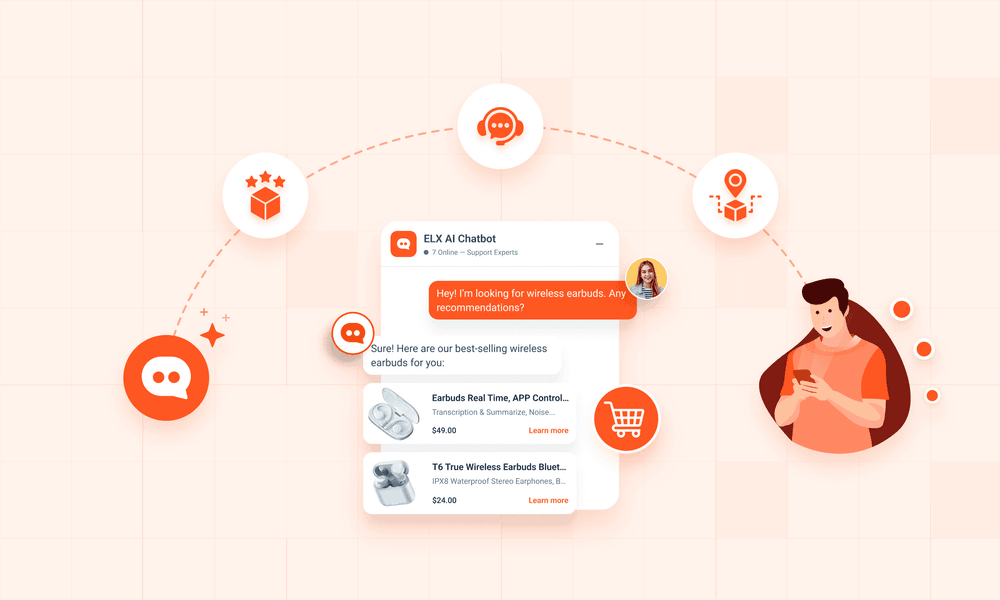
ELX Chatbot supports these micro-interactions by automatically recognizing customer context and displaying product cards, recommendations, and order details directly within the chat window.
6. Build Empathy Into Every Response
Empathy is what separates great chatbots from average ones. Even when dealing with routine tasks, users appreciate a touch of understanding and reassurance.
When a customer expresses frustration, such as “I still haven’t received my order,” a simple, empathetic acknowledgment like “I understand how frustrating that must be. Let me check your delivery status right away” makes all the difference.
This kind of response feels considerate and professional while maintaining efficiency.
Empathy can be built into both tone and language design. ELX Chatbot allows businesses to customize not only the content of responses but also how emotionally responsive the chatbot sounds. This flexibility helps ensure that automation never feels cold or transactional.
7. Test, Learn, and Continuously Improve
Designing a chatbot that feels human is an ongoing process. As more customers interact with your chatbot, you gather valuable data about what works, what confuses users, and where conversations drop off.
Regularly reviewing chatbot analytics helps identify opportunities for improvement. Look for:
- Frequently asked questions that can be optimized for clarity.
- Points in the conversation where customers stop responding.
- Sentiment feedback that reveals tone or phrasing issues.
With ELX Chatbot’s analytics dashboard, you can easily monitor user satisfaction, resolution rates, and engagement levels allowing you to fine-tune your chatbot experience over time.
8. The Perfect Blend of AI and Humanity
A chatbot that feels human does more than answer questions. It builds relationships, reinforces brand personality, and strengthens customer trust.
The best results come from blending AI-driven intelligence with thoughtful design and authentic tone of voice.
ELX Chatbot makes that possible. It allows brands to create chat experiences that are helpful, conversational, and aligned with their identity while still maintaining efficiency and automation at scale. When designed well, your chatbot becomes not just a support tool but a true extension of your brand’s customer experience.
Start Free Trial or Book a Demo to see ELX Chatbot in action today!




More Blogs
Explore more insights, tips, and stories from our team.